Guide walkthrough
Start reading here
This is the main article body, where the page shifts from summary cards into the actual workflow and decision-making notes.
On this page
Key terms for this guide
These glossary pages cover the ideas and platform language most likely to matter as you work through this guide.
Start with context, not clutter
The best free NinjaTrader indicators for futures traders are usually the ones that calm the chart down, not the ones that light up every panel. Start with the jobs that actually matter during a session.
- Use one context tool to show session highs, lows, or opening levels.
- Use one participation tool to show whether the move has real activity behind it.
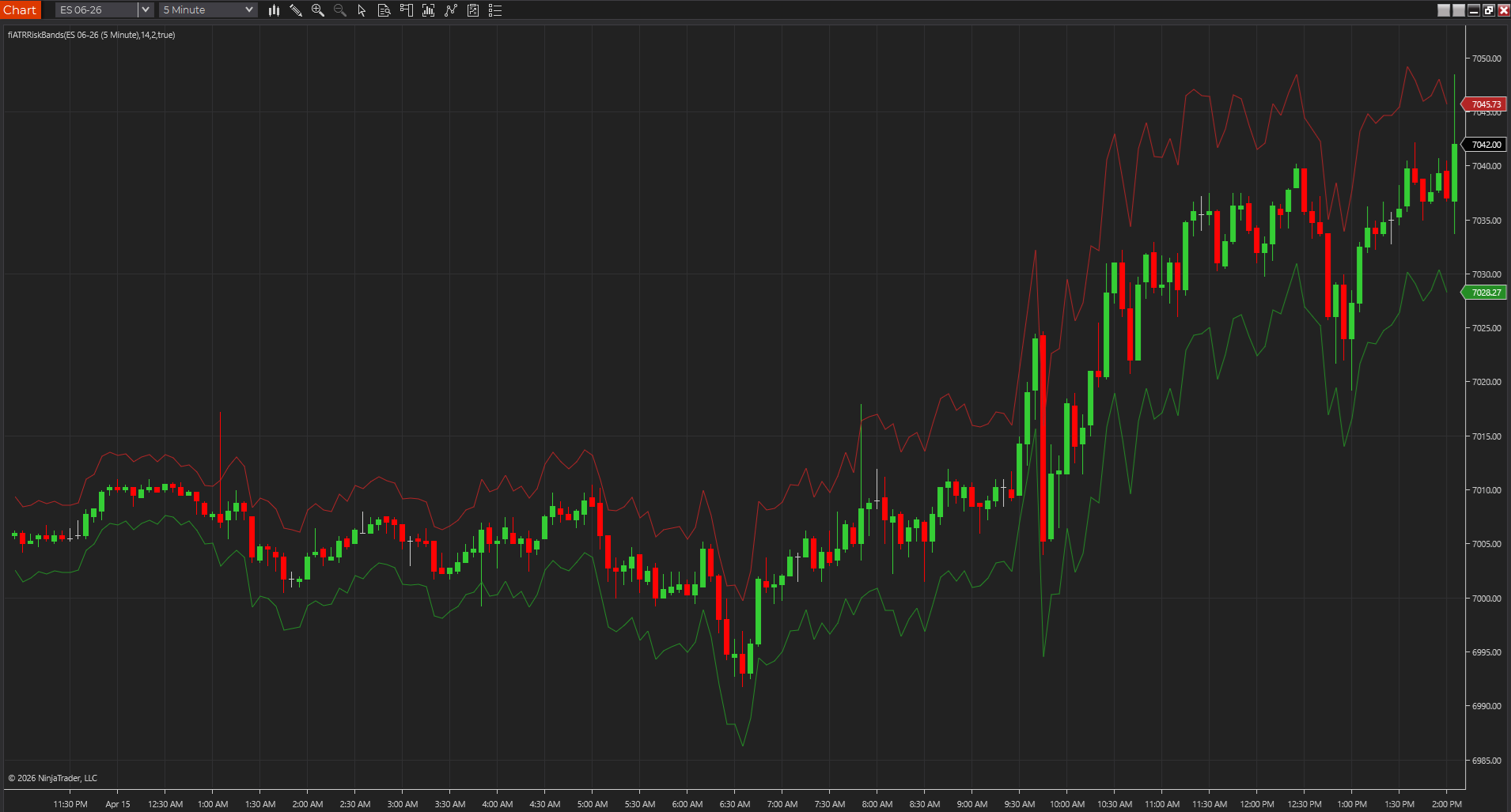
- Use one risk tool to keep stop distance and volatility expectations realistic.
Choose tools by workflow, not by category name
A trader looking for breakout confirmation needs something different from a trader trying to map the prior session or size a stop that actually fits the day. Charts get cluttered fast when indicators are chosen because they sound impressive instead of because they solve a specific problem.
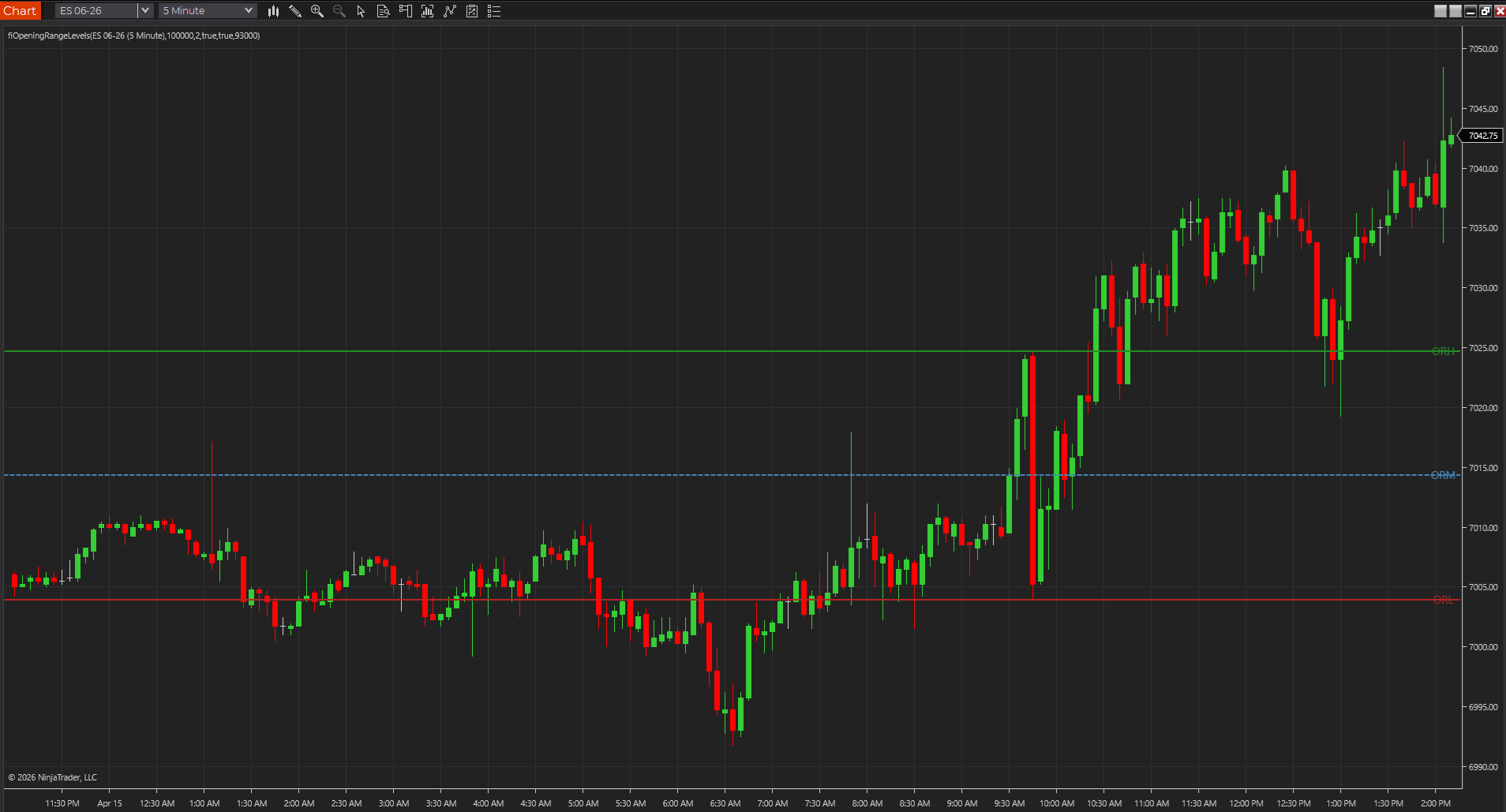
- Opening range, Donchian, and inside-bar tools help with breakout framing.
- Session levels, pivots, and retracement tools help with location.
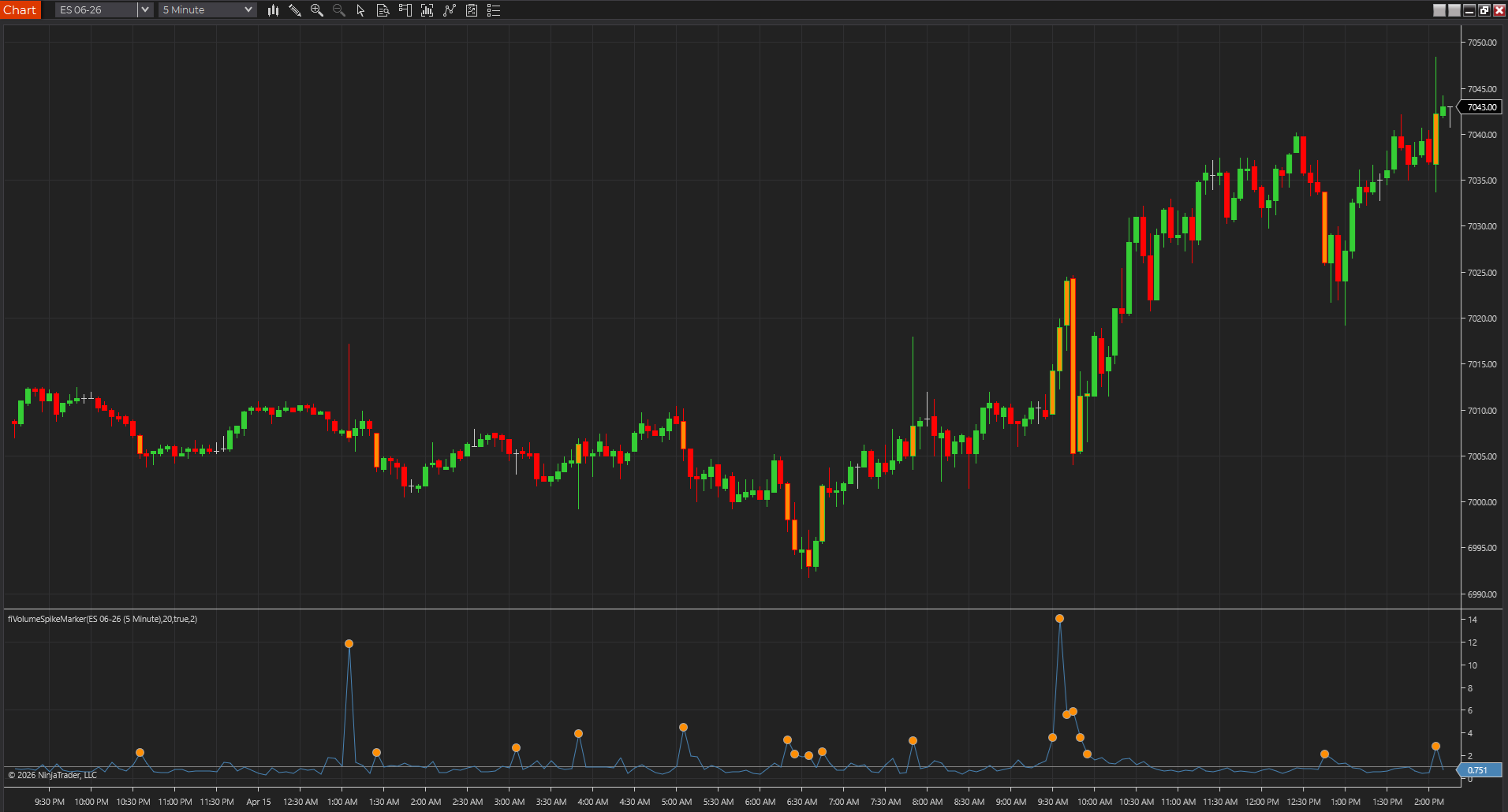
- VWAP, volume spikes, and bar speed help with participation and tempo.
Build around four core jobs first
Most futures traders will get more from four clear jobs than from twelve overlapping indicators. It keeps NinjaTrader easier to read and gives you a cleaner path through the rest of the library.
- Structure: use tools like market structure labels or trend ribbons to organize the chart.
- Levels: use session levels, pivots, or opening range references to know where price is trading.
- Participation: use VWAP, volume spikes, or bar speed to see whether activity is expanding.
- Risk: use ATR-based tools to keep expectations tied to actual volatility.
Match the tool to the chart type
Tick, range, Renko, and time-based charts do not reward the exact same settings. A speed or breakout tool that feels sharp on a range chart may feel noisy on a five-minute chart.
- Tempo tools often shine on faster intraday charts.
- Session and level tools usually travel well across chart types.
- Pattern markers should be tested for frequency before they earn a permanent place.
Use real downloads first, then branch into source pages
The easiest place to start on this site is with the pages that already have hosted NinjaTrader downloads and real screenshots. Once you know the idea is useful, the source pages make it easier to compare or port the logic into TradeStation, MultiCharts, MT4, MT5, or TradingView.
- Downloadable NinjaTrader pages are the shortest path to a working chart.
- Source pages are still useful when you want to compare logic across platforms.
- Not every page should be treated like installable software; some pages are references.
Test in a controlled workspace first
Import the ZIP, restart NinjaTrader when required, apply the indicator to a clean chart, and test the settings in a controlled workspace before trusting it during a live session.
- Save the exact error message if an import fails.
- Use market replay when the tool depends on bar confirmation or intrabar behavior.
- Avoid loading several new indicators at once; isolate one variable at a time.
Use this first when the chart question is still broad
This guide is the best starting page when the real question is still broad: which free NinjaTrader indicators are worth downloading, which ones fit futures charts, and which tools belong on the first workspace. Narrow the workflow here, then move into the indicator page, the NT8 downloads hub, or the futures charting comparison once the job is clearer.
- Use this guide first when you want a shortlist instead of a single code example.
- Move into the NT8 hub when you are ready to import files.
- Move into the futures charting comparison when the bigger platform choice is still unsettled.
Best next reads
These pages pick up the questions most readers usually have next, so you do not have to back out and start a fresh search.
Frequently asked questions
How many indicators should a NinjaTrader chart start with?
For most traders, three or four is a healthy starting point: one level or context tool, one participation tool, one structure or pattern tool, and one risk overlay if you need it.
Are free NinjaTrader indicators enough to build a useful workflow?
Yes, if they are chosen deliberately. A free tool that clarifies one real decision is more useful than an expensive package that adds clutter.
Which free NinjaTrader indicators should futures traders test first?
Usually one session-level or VWAP-style context tool, one participation tool such as volume spikes or bar speed, one structure tool such as opening range levels, and one volatility or risk overlay.
Should I start with the product pages or the guide pages?
Use the featured guide to decide what job needs solving, then open the product pages for screenshots, downloads, settings, and platform-specific support.
What if none of the free indicators do exactly what I need?
Free downloads cover the common workflows well, but they will not match every rule set. If you need different alert logic, a strategy wrapper, a private NT8 port, or a fix for a broken import, route that work to a NinjaTrader programmer instead of forcing a free tool to do something it was not built for.